
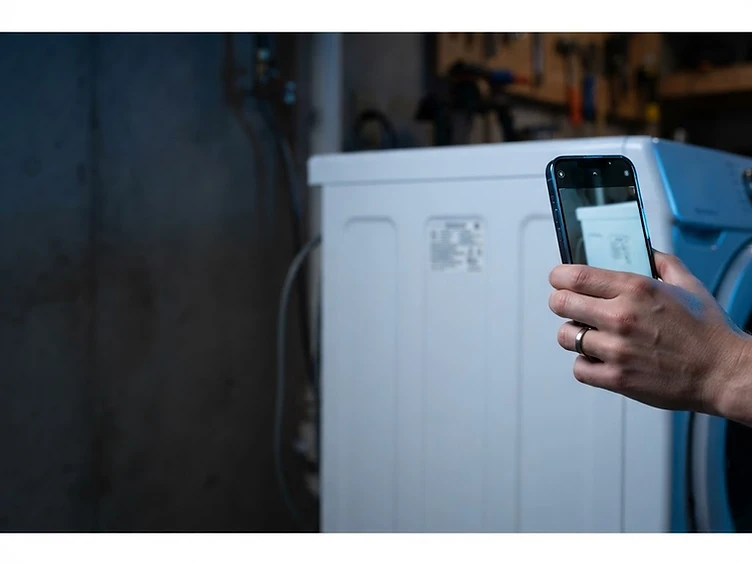
Point your phone at a nameplate. Know the appliance.
AmBoss reads the model and serial sticker on an appliance photo, looks that model up in published manufacturer data, and hands back the full spec sheet — brand, build date, capacity, dimensions, power, features and warranty — ready to save, print or send. Sign up for the free trial and every scan you keep lands in your dashboard with its photo and your own notes attached.
10 free scans with no signup · No card required · Installs to your home screen
Example scan
Whirlpool Top-Load Washer
- Brand
- Whirlpool
- Model
- WTW5000DW
- Serial
- C60312345
- Built
- 2016
- Capacity
- 4.3 cu ft
- Voltage
- 120 V
Read with high confidence
Not just washers and dryers — every appliance with a rating plate
Point the camera at the sticker on a refrigerator, a dishwasher, a stove or a microwave and AmBoss reads the model and serial the same way. Same decoded spec sheet, same saved record.
- Refrigerators & freezers
- Dishwashers
- Ranges, stoves & ovens
- Cooktops & wall ovens
- Microwaves
- Washers
- Dryers & laundry pairs
- Stacked units & pedestals
- Room air conditioners
- Ice makers & beverage centers
- …and any other appliance with a model sticker
How it works
Three taps from a sticker to a spec sheet. No measuring, no digging through model charts, no guessing at a build date.
Photograph the nameplate
Snap the model and serial sticker on the unit — one appliance at a time, or import a whole batch of photos in a single go.
AmBoss reads the tag
The model and serial are read exactly as printed, then matched against published manufacturer data for that exact model.
Get the full spec sheet
Everything published for that model, its build date from the serial where the scheme is documented, and its warranty terms — save it, print it, send it on.
Walk in looking like the person who already knows.
The moment a customer sees the whole spec sheet on your screen, the conversation changes — from a guess to a documented answer.
Selling a unit? Show them the facts.
Read the plate before you quote it. Then hand your customer the year, make and model, the published specs behind it and a real market value — no “let me get back to you”, no guessing at a build date. People buy from the person who can answer on the spot.
“Where did you get all that?” — the question you want to hear.
On a service call? Show them the tool.
Set the phone on the counter and let the customer watch the full spec sheet of their own appliance appear — build date, capacity, power requirements, parts. It turns “trust me” into “here it is”, and that is the difference between a callback and a referral.
“How do you know all that?” — that is the impression.
What every scan returns
One photo, one complete record of the unit. Everything below comes from what is printed on the sticker and from published manufacturer data for that model.
Identity
- Brand as printed
- Parent manufacturer
- Model number
- Serial number
- Serial breakdown
Build & age
- Manufacture year
- Production or discontinued status
- Appliance class
Measurements
- Rated capacity
- Width × depth × height
- Weight
Power & ratings
- Voltage, hertz and amperage
- Plug or cord type
- Fuel type
- EnergyGuide / ENERGY STAR figures
Features & controls
- Cycles and options
- Dispensers and displays
- Drum or tub material
- Controls and display
Provenance & finish
- Original US MSRP
- Color / finish
- Warranty terms
- What shipped in the box
Every value is factual. Where something is not published for that model, AmBoss leaves the field empty instead of estimating it.
Simon SI, the master appliance tech who comes with the scanner
Simon SI is AmBoss's built-in appliance expert. He knows US appliances the way a bench tech does — washers and dryers, refrigeration, dishwashers, ranges, laundry pairs and everything else that ends up in a home. Scan the tag, then ask him anything about that machine, hands free.
Repairs, step by step
Power off first, then the order a technician works in, and the check-out that proves the fix.
Fault codes that mean something
What the code means on that model, and the test that tells the two likely causes apart.
Serials and parts
Build date read from the serial, the part a job calls for, and where to check availability.
Worth fixing?
The part a job calls for, what it costs against the machine's life left, and when to walk away.
Repair help is free on your trial for ten appliances, then unlimited on Solo, Shop and Pro. AmBoss Lite does not include Simon SI.
Simon SI
Appliance repair, spoken
LG WM4000HWA front loader, code UE on spin. Where do I start?
UE on that platform is the washer giving up after three tries to balance the load. Check it is level, then run an empty spin. If it fails with nothing in the drum, the shocks and springs are next.
What are those part numbers?
Two shocks on that revision. I will read you the numbers for your exact serial while you have the machine open.
Built for appliance stores, sales people and repair techs
Anyone who sells, delivers or services appliances — know exactly what a unit is, how old it is and what it is worth without pulling it apart.
One tag or twenty
Shoot a single nameplate, or import a batch of photos at once and let AmBoss work through them.
Your own device inventory
Each device you save lands in your dashboard with its photo, its spec sheet and your own notes attached, so the unit is on file the next time you need it.
Export when you need it
Pull your saved scans out as a spreadsheet for a listing, a quote or your own records.
Print or send any scan
Generate a clean tag sheet for the unit, or pass the decoded details to a customer or a coworker.
Feels like an app
Install AmBoss to your home screen and it opens full screen, camera first — no app store involved.
90 days or 90 scans free
The whole product is open for 90 days or 90 scans, whichever comes first. You choose a plan only once the trial ends.
90 days or 90 scans free, then pick a plan
Your trial starts the moment you sign up and needs no card — 90 days or 90 scans, whichever comes first. Scanning, spec sheets, printing and sending are open from day one, and the trial keeps your first 10 saved appliances on file; a paid plan keeps your whole inventory.
AmBoss Lite
Scan and price units without the shop workflow
$9/month
Up to 60 saved appliances · 512 MB of photos
- 100 AI nameplate scans a month
- Full spec sheet on every scan
- Save up to 60 appliances with your own notes
- Print, send and export any scan
- Simon SI repair help is not included
AmBoss Solo
One counter or one truck, every unit on file
$19/month
Up to 300 saved appliances · 2 GB of photos
- Unlimited AI nameplate scans
- Full spec sheet on every scan
- Unlimited repair help from Simon SI
- Save up to 300 appliances with your own notes
- Print, send and export any scan
- Work through a batch of photos at once
AmBoss Shop
Most popularThe everyday plan for a working store
$39/month
Up to 1,500 saved appliances · 10 GB of photos
Shared inventory for up to 3 people
- Everything in Solo
- One shared inventory for up to 3 people
- Save up to 1,500 appliances
- 10 GB of tag photos
- Room for a full showroom plus back stock
- Spreadsheet export of your whole inventory
- Print and send as many tag sheets as you need
AmBoss Pro
High-volume intake, warehouses and multi-truck shops
$69/month
Up to 5,000 saved appliances · 40 GB of photos
Shared inventory for up to 6 people
- Everything in Shop
- One shared inventory for up to 6 people
- Save up to 5,000 appliances
- 40 GB of tag photos
- Built for warehouse and multi-truck volume
- Spreadsheet export of your whole inventory
Simon SI comes with Solo, Shop and Pro
Your master appliance technician, on call for any unit you scan. Ask him for fault codes, what a part does, step-by-step repair instructions, or whether a machine is worth fixing — with live lookup for that exact model. Free on the trial for your first 10 appliances, then unlimited on Solo, Shop and Pro. AmBoss Lite does not include it.
Prices in USD, billed monthly. Cancel any time.
Questions people ask
Do I need an account to try it?
No. Scan your first 10 appliances with no account and no card, right here on this page. After those 10, create a free account to carry on — the trial then runs for 90 days or 90 scans, whichever comes first, still with no card required.
How much can I trust a scan?
AmBoss reads what is printed on the sticker and only reports specifications that are actually published for that model, so unknown values come back blank rather than guessed. Always double-check the model and serial before ordering parts.
What do I get if I save a scan?
A saved scan keeps the nameplate photo, the decoded model and serial, the spec sheet and any notes you typed, all in your dashboard. From there you can reopen it, export your scans as a spreadsheet, print a tag sheet or delete it when you no longer need it.
Which appliances does it cover?
Every household appliance sold in the United States with a rating plate: refrigerators and freezers, dishwashers, ranges, stoves, ovens, cooktops, microwaves, washers, dryers, stacked and paired laundry units, pedestals, room air conditioners, ice makers and more. You can ask Simon SI about any of them too. The more of the sticker is legible in the photo, the more of the spec sheet comes back filled in.
Does it really read a refrigerator or a microwave tag?
Yes — laundry, refrigeration, cooking and the rest are decoded the same way. Aim at the model and serial sticker, and AmBoss returns the brand, model, build date, capacity, dimensions, power requirements, features and warranty terms for that exact model.
What happens to my photos?
A saved scan keeps its nameplate photo with the record so you can print or send it. Those files live at permanent links, so treat a saved photo as shareable — and delete anything you would rather not keep.